
MGM+
MGMPlus Entertainment LLCEntertainment
4.74.53K Reviews
- Version
- Varies With Device
- Installs
- 5.00M
- Age Rating
- Teen
Screenshots



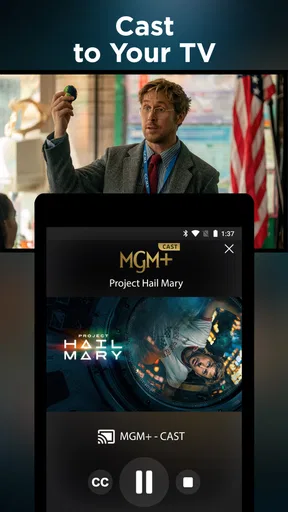
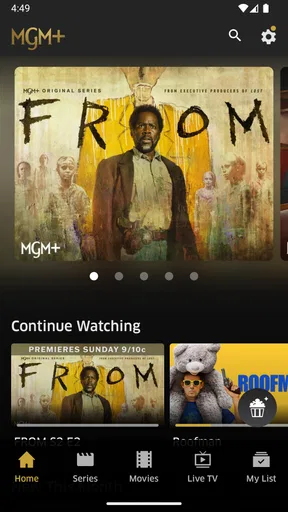
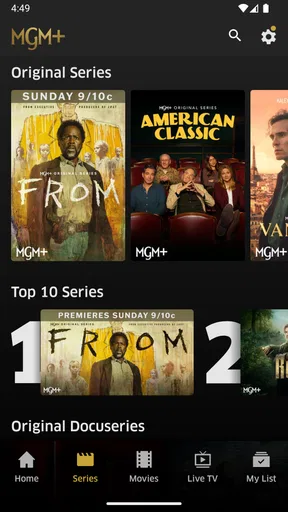
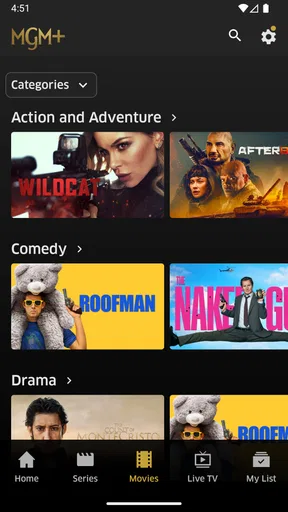
Our Review of MGM+
 Analysis by Appyee
Streaming feels effortless when a show starts promptly, but a mobile viewing session depends on more than a good-looking catalog. I judge an entertainment app by what happens when the connection is weak, the screen changes from home Wi-Fi to mobile data, or I only have a short break to watch. MGM+ is aimed at people who want movies and series in one place, and its appeal is strongest when you have a dependable internet connection and already know what you feel like watching.
Where a steady connection matters
With a streaming service, the network affects the whole viewing experience: browsing images and descriptions, starting a title, and keeping playback smooth. I would treat MGM+ as a connected viewing option rather than assume that every part of it will work equally well in a weak-signal spot. If I am planning to watch on a train, in a waiting room, or somewhere with crowded public Wi-Fi, I make the choice of title and connection before settling in, rather than counting on the app to rescue a session after service drops.
That makes the app easiest to enjoy at home or in another place where I can rely on the connection. For a casual evening, I can browse first, pick a film, and let the story take over. For a commute or a day out, I would be more cautious: a patchy signal can interrupt the very thing I opened a streaming app to do. The practical question is not just whether the catalog looks appealing, but whether my viewing plans match the network I will have.
Exploring the MGM+ Experience
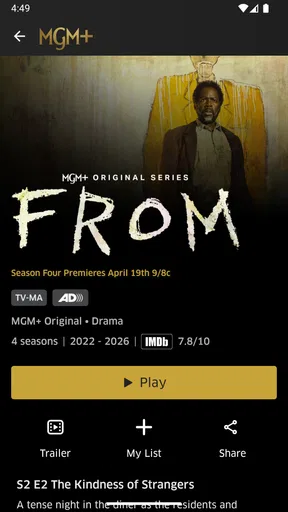
First things first, the app's interface is sleek and intuitive. From the moment you open it, you’re greeted with a clean layout that makes navigation a breeze. No clutter, just everything you need right at your fingertips. Whether you’re a tech guru or someone who just wants to watch their favorite shows without a hassle, you’re going to appreciate this design.
Choosing something that fits the moment
A large collection is useful only if I can narrow it down to a good choice without turning the evening into a long browsing session. I find it helpful to decide on a mood before opening a streaming app: a feature film for a full evening, or a series episode when I have a shorter window. That small habit is especially useful on a phone, where scrolling through a catalog can feel like the main event if I start without a plan.
The service is free to install, while access and purchases are handled through in-app options. The listed purchase range runs from $5.99 to $61.99 per item, so I would check the exact subscription or purchase terms shown in the app before committing. The store summary describes cancellation as flexible, but I still recommend reading the current terms at checkout and noting how a subscription is managed. A free download should not be confused with all content being free to watch.
Content Galore
Now, let’s talk about what truly matters: the content. MGM+ offers an impressive library of movies and TV shows. You’ll find everything from timeless classics to the latest blockbusters. They’ve also got some exclusive content that you won’t find elsewhere, which is a big plus if you’re into discovering new things.
One of the standout features for me was the curated playlists. Imagine having a virtual movie night planned for you, complete with themed selections. It’s like having your personal movie curator!
For a household, the best way to make a shared viewing session smoother is to agree on a rough genre or mood before searching. That reduces the familiar back-and-forth of everyone rejecting the first few options. If you are choosing for yourself, the same approach helps you use the catalog intentionally rather than judging the service by how quickly you can make a decision. I would also check whether the titles I most want to watch are available in the app before subscribing; a broad library does not automatically mean every personal favorite will be there.
Mobile viewing and data choices
On a phone, the advantage is convenience: I can use a short break to continue a series or settle in with a film while away from the television. The trade-off is that mobile viewing competes with battery life, screen size, and data use. I would choose Wi-Fi for longer sessions when practical, especially if I am trying to avoid using a mobile plan’s allowance. If I have only a few minutes, browsing or deciding what to watch first can be more sensible than starting a film I cannot finish.
Before travelling, I would check the app’s current playback and account options rather than assume that a title will be available in every situation. A useful routine is to open the app while connected, confirm that I can sign in, and choose a backup plan if the destination has unreliable internet. I would not build a trip around offline viewing unless the app itself clearly offers that option for the content I want. This is a small check, but it prevents the frustrating discovery that a planned watch depends on a connection I do not have.
Quality and Streaming
Quality is key when it comes to streaming, and I was pleasantly surprised by the high-definition streaming quality on MGM+. Even with my not-so-stellar Wi-Fi, I encountered minimal buffering, which is always a win. Plus, the app offers offline downloads, so you can take your entertainment on the go without burning through your data.
When playback falters, I start with the simple checks: see whether other apps can reach the internet, move closer to the router if I am at home, or switch to a more reliable network if one is available. If the connection is the problem, repeatedly tapping play is unlikely to help. I would close and reopen the app only after checking the network, then try the title again. This order separates a temporary signal issue from a problem that may need account or app support, and it avoids wasting time changing settings that are unrelated to the interruption.
During a long session, a stable connection matters more than chasing the highest possible picture quality. If the stream struggles, pausing briefly or moving to a steadier connection is a better trade-off than accepting repeated interruptions. I also avoid starting a big-screen-length movie just before leaving a reliable network. That is not a special trick; it is the simplest way to make a streaming service fit the day instead of letting a connection problem dictate it.
Profiles, search, and household use
Another thing I really appreciated was the user-friendly features. The parental controls are robust, ensuring that the little ones only access age-appropriate content. Plus, the ability to create multiple profiles means everyone in the house can have a personalized experience. No more fighting over what to watch next!
Because MGM+ has a Teen content rating, I would not treat that label as a substitute for an adult checking whether a particular title suits a younger viewer. A parent can use the available controls as part of a household setup, but it is still worth reviewing what the child is selecting. This is most useful in a family where adults and teens share a device or account and want a bit of separation between their viewing habits.
Search functionality is also top-notch. With its smart search capabilities, you can find what you’re looking for in seconds. It’s those little touches that make using the app a genuinely enjoyable experience.
Search is also a good way to avoid spending data and time repeatedly loading catalog pages when I already have a title in mind. I use a direct search when I know what I want, and browse the themed selections only when I am genuinely open to suggestions. That distinction makes the app more useful in two different situations: quick, purposeful viewing and a relaxed movie-night decision.
Who will enjoy it, and who may prefer another service
I would recommend MGM+ to someone who wants an additional source of films and series, especially if the app’s particular catalog gives them something they cannot find on the services they already use. Its focused entertainment role makes it easy to understand: open it to browse and watch, rather than expecting it to replace every kind of media app. It can suit a household that shares screen time, too, provided the available profiles and viewing controls match what the family needs.
It is less compelling for someone who wants one subscription to cover every favorite show, or who mainly watches in places with unreliable connectivity. In those cases, a broader service already included in a household plan, or a platform whose confirmed offline options better suit travel, may be more practical. I would also skip it if I am only looking for free viewing: installing the app costs nothing, but subscriptions and other in-app purchases are part of the experience.
Compared with ad-supported video apps, MGM+ may appeal to viewers who prefer a paid streaming environment rather than interruptions from advertising. Compared with a general-purpose video platform, it is more about selecting from a service’s own movie and series catalog than searching a vast mix of unrelated uploads. The better choice depends on whether its available titles are worth adding to your routine; I would compare the shows I actually plan to watch, not just the size of a catalog in general.
Subscription and Pricing
When it comes to pricing, MGM+ is pretty competitive. They offer a variety of subscription plans, so you can choose one that fits your budget. And if you’re on the fence, they even offer a free trial period. It’s a risk-free way to see if the platform is your cup of tea.
In terms of value for money, I’d say it’s worth every penny. The exclusive content and user-friendly experience make it a solid choice for any streaming enthusiast.
My own way to judge value would be to pick a few specific titles I expect to watch, then ask whether I will use the service enough during the billing period to justify its cost. If I only want one show, I would check the current subscription details and cancellation process before signing up, rather than relying on an assumption about how billing works. If I discover several titles I want to watch, the service becomes easier to justify as a regular part of my viewing rotation.
Final Thoughts
Overall, my experience with MGM+ has been nothing short of fantastic. From its impressive content library to its user-friendly interface and high-quality streaming, it ticks all the right boxes. Whether you’re a movie buff, a TV show addict, or just someone looking for a reliable streaming app, MGM+ is definitely worth checking out.
Ready to dive into a world of entertainment? Download MGM+ now and start exploring all it has to offer. You won’t be disappointed!
There is a straightforward reason to consider it: the app comes from MGMPlus Entertainment LLC, has a 4.6 average from around 32,000 ratings, and has been installed over a million times. Those figures suggest plenty of people have tried it, but they do not tell me whether its catalog matches your taste or whether your network will make streaming comfortable. For that, I would make the decision based on the titles you want and the places you usually watch.
The app is listed as free to install, is intended for Teen audiences, and supports devices running Android 7.1 or later. The release date was February 7, 2019. Those details help with basic compatibility and household decisions, but I would still confirm that the particular device you plan to use can run the current app smoothly and that your account setup works before relying on it for a trip or a planned movie night.
My practical verdict is that MGM+ works best as a deliberate streaming choice, not as a guaranteed solution for every viewing situation. Pick it when its films or series are the reason you want to watch, use a dependable connection for longer sessions, and check the terms before paying. If those conditions suit your routine, the simple interface and curated discovery can make it an enjoyable addition; if broad all-in-one coverage or dependable viewing away from Wi-Fi is your priority, compare other options first.
Privacy and Permissions
See what permissions an app requests and how it handles your data.
- Photos/Media/Files
- read the contents of your USB storage, modify or delete the contents of your USB storage
- Storage
- read the contents of your USB storage, modify or delete the contents of your USB storage
- Wi-Fi connection information
- view Wi-Fi connections
- Other
- view network connections, change network connectivity, allow Wi-Fi Multicast reception, full network access, change your audio settings, run at startup, prevent device from sleeping
Verdict
Strengths of MGM+
- High-quality streaming with minimal buffering.
- Extensive library of exclusive content.
- User-friendly interface for easy navigation.
- Available on multiple devices and platforms.
- Regular updates with new releases.
Limitations of MGM+
- Limited availability in certain regions.
- Subscription cost may be high for some users.
- Offline download feature not available.
- Occasional bugs in the mobile app.
- No free trial for new users.
Similar Picks in This Category
View All
Google Play Games
Google LLC3.9

Netflix
Netflix, Inc.4.8

YouTube Kids
Google LLC4.2

Disney+
Disney4.4

Prime Video
Amazon Mobile LLC4.7

Steam
Valve Corporation3.2
Frequently Asked Questions
What is MGM+ and what content does it offer?
MGM+ is a streaming service that provides access to a wide range of movies, TV shows, and exclusive content produced by Metro-Goldwyn-Mayer. It includes classic films, recent blockbusters, and original series, catering to a variety of tastes and preferences for entertainment enthusiasts.
How much does a subscription to MGM+ cost?
The cost of an MGM+ subscription varies depending on the plan you choose. Typically, it offers monthly and annual subscription options, with prices often competitive with other streaming services. Check the official MGM+ website or app for the latest pricing details and available promotions.
Is MGM+ available on all devices?
MGM+ is available on a wide range of devices, including smartphones, tablets, smart TVs, and streaming devices like Roku and Amazon Fire Stick. It supports both Android and iOS operating systems, ensuring accessibility for most users. Ensure your device is compatible by checking the app store for availability.
Can I download content from MGM+ for offline viewing?
Yes, MGM+ allows users to download select content for offline viewing. This feature is perfect for those who want to enjoy their favorite movies and shows on the go without relying on an internet connection. Look for the download icon next to eligible titles in the app.
Does MGM+ offer a free trial period?
MGM+ often provides a free trial period for new users, allowing them to explore the service before committing to a subscription. The length of the trial can vary, so it's best to check the latest offers on the MGM+ website or app to take advantage of this opportunity.
